
You just paid for a Strong 8K IPTV plan – here is exactly what happens next and how to be watching within minutes.
Step 1: Watch your inbox
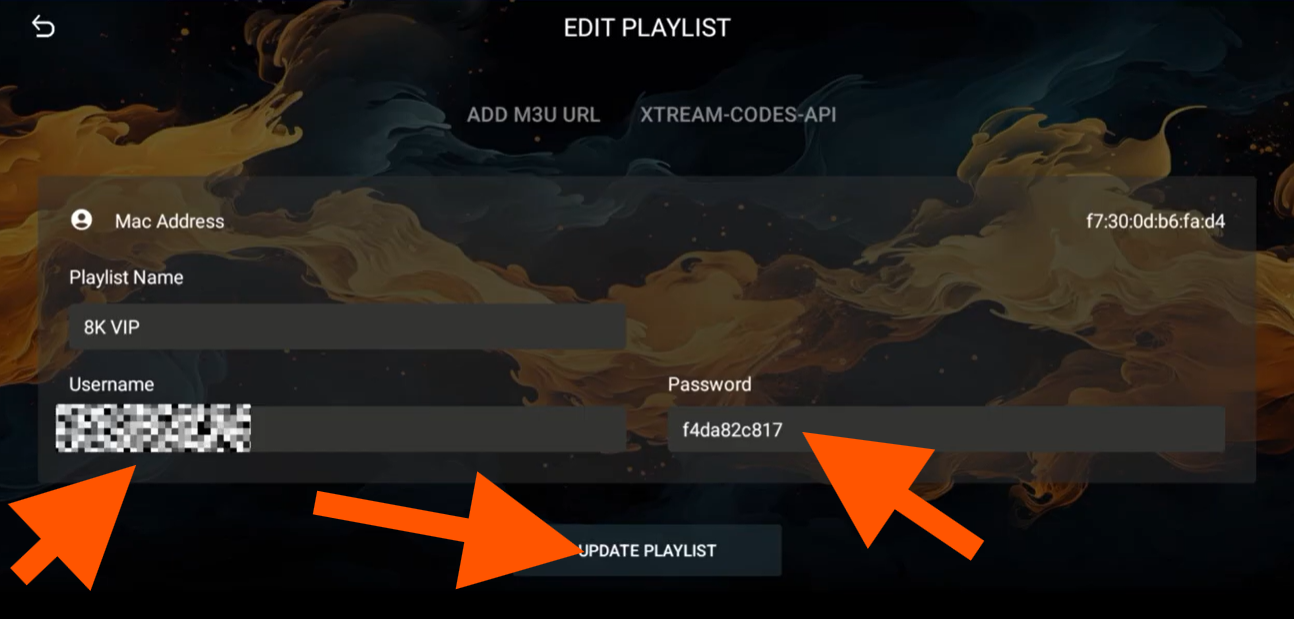
After payment, your subscription details are sent by email, usually within 10 to 30 minutes. The email contains your login: a server URL, username and password (Xtream Codes style), and where needed an M3U link.
Step 2: Open your IPTV player
On Firestick and Android boxes, IPTV Smarters Pro or TiviMate are the popular picks; Smart TVs have their own players. The apps page lists what works on your device, and the installation tutorial walks through installation with screenshots.
Step 3: Log in
Choose “Login with Xtream Codes API” in the app, enter the three details from the email, and your channel list loads. That is it.
If something is off
- Check spam for the delivery email first
- Re-type the username and password exactly – they are case-sensitive
- Still stuck? Contact support – we answer 24/7 and can set it up with you live.
No subscription yet? Start with the free 24-hour trial.