8k iptv LLC

GET YOUR 24H FREE TRIAL
Fast Activation Secure & Private No Payment Required
8K IPTV INSTALLATION GUIDE

8K IPTV Installation Tutorial

Learn how to install and set up your preferred IPTV app on Android TV, Fire TV, Smart TV, mobile devices, Windows and macOS.

01 Choose Your Device
02 Install Your App
03 Start Streaming
STEP-BY-STEP GUIDE

How to Install 8K IPTV

Follow the steps below to install an IPTV player and connect your 8K IPTV service on Android TV, Fire TV Stick and compatible Android Smart TVs.

01
Install Downloader app for 8K IPTV
STEP 01

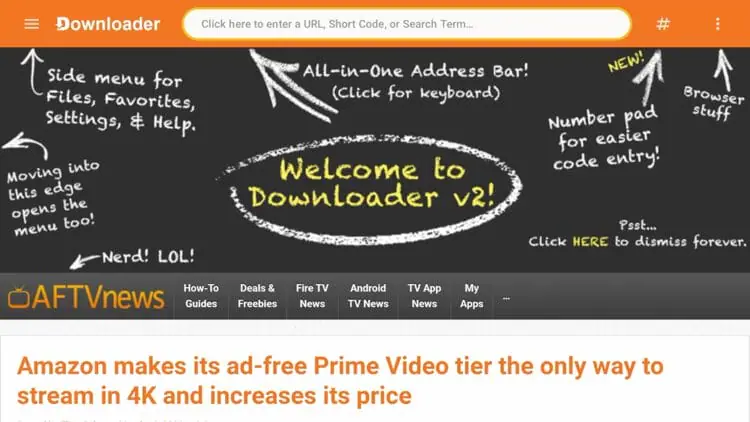
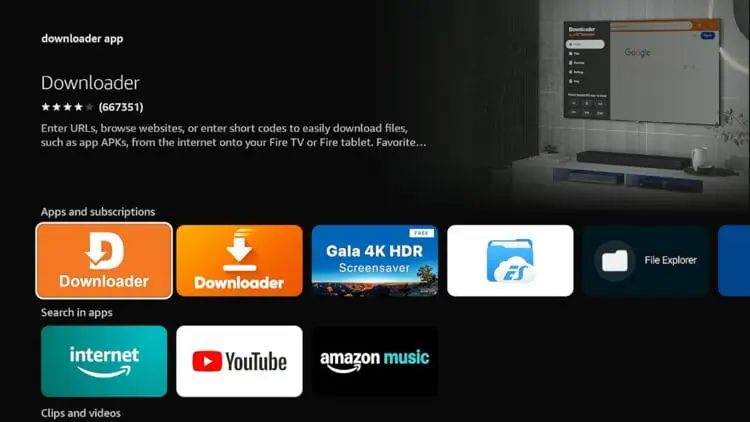
Install Downloader

First, install the Downloader application on your Fire TV Stick, Android TV Box or compatible Android Smart TV.

TIP Search for Downloader in your device's app store.
02
STEP 02

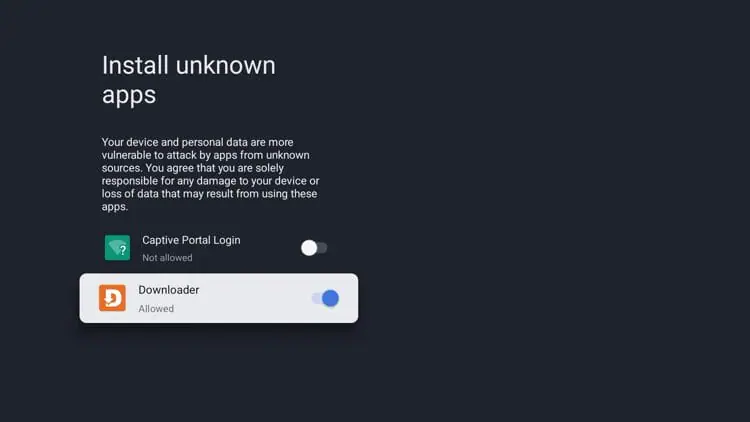
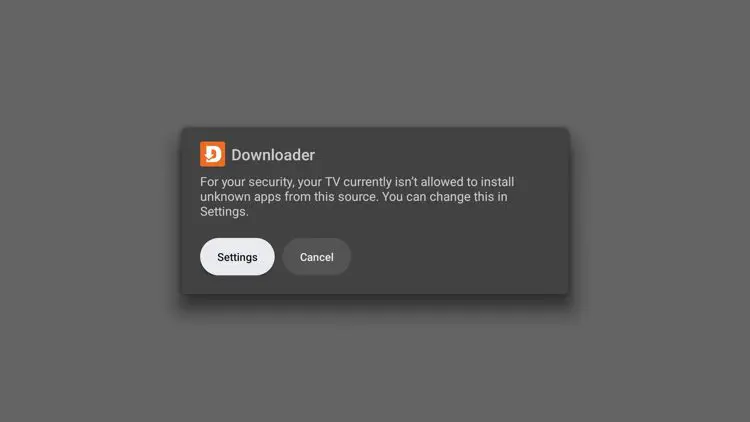
Allow Installation From Unknown Apps

Open your device settings and allow Downloader to install applications from unknown sources.

IMPORTANT This permission allows Downloader to install the IPTV player.
03
STEP 03

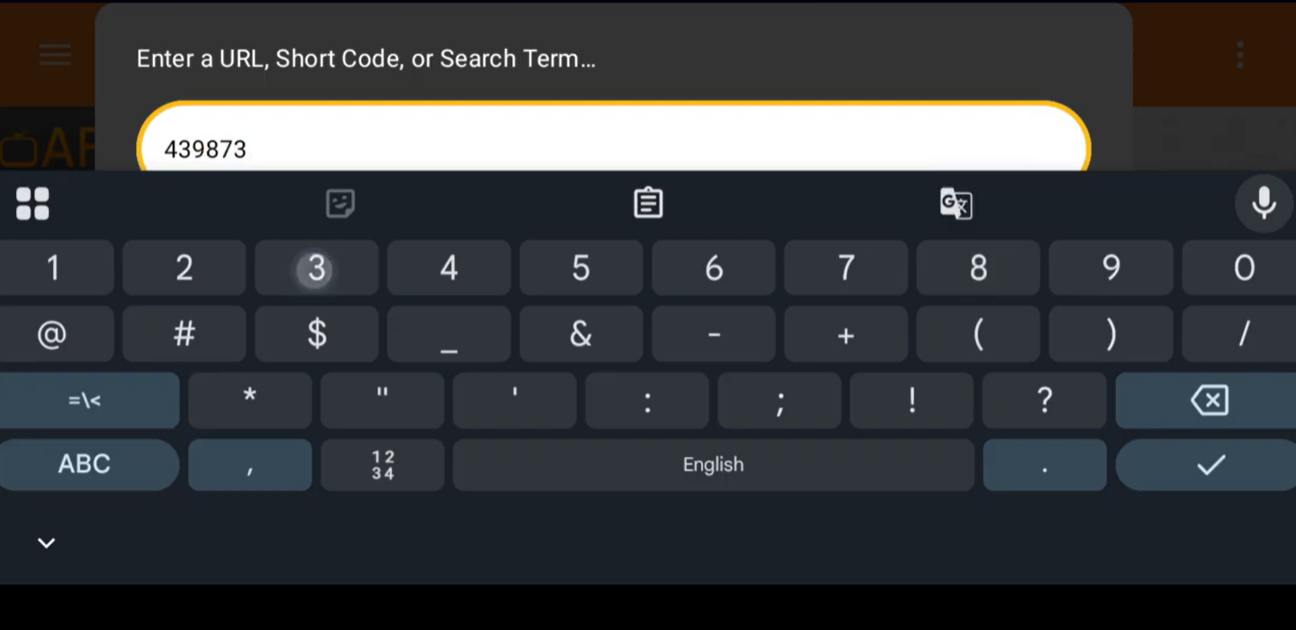
Enter Your IPTV Player Code

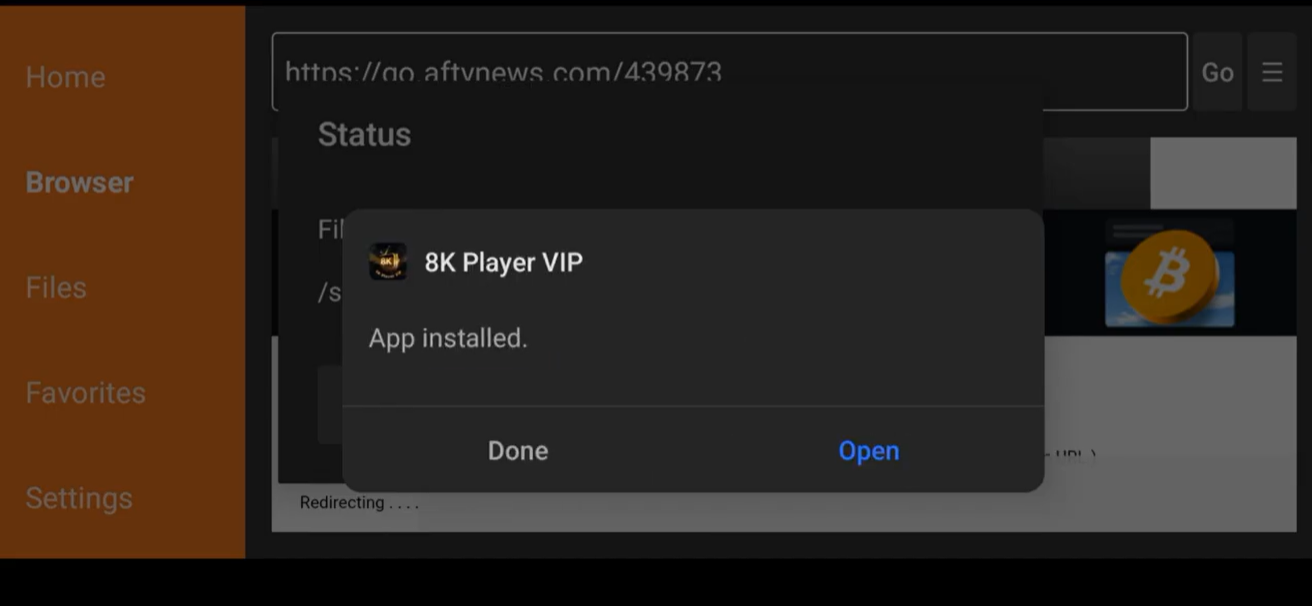
Open Downloader and enter the code for the IPTV player you want to install.

EXAMPLE PLAYER CODE
8K Player VIP 439873
04
STEP 04

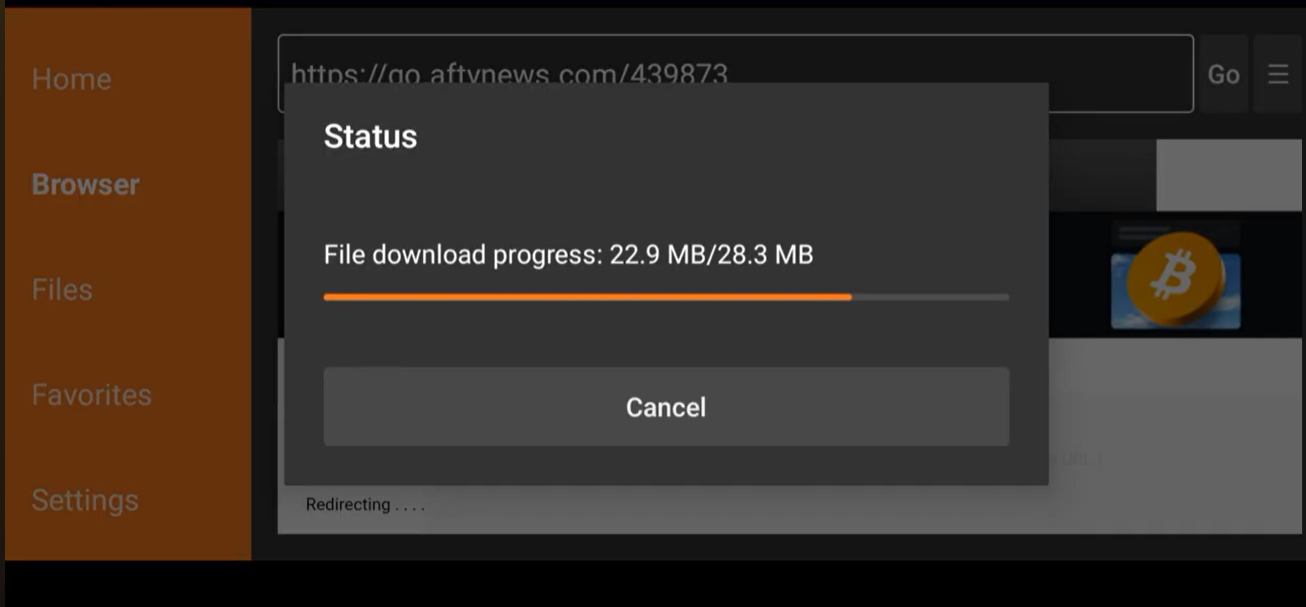
Install & Open the App

Once the player has finished downloading, install the application and open it from your device.

NEXT After opening the app, continue with your IPTV access details.
05
IPTV ACCESS Your IPTV details are provided after activation.
STEP 05

Get Your IPTV Access

You can start with a 24-hour free trial or choose an IPTV subscription plan that suits you.

SUPPORT Contact our support team if you need help with your IPTV access.
06
STEP 06

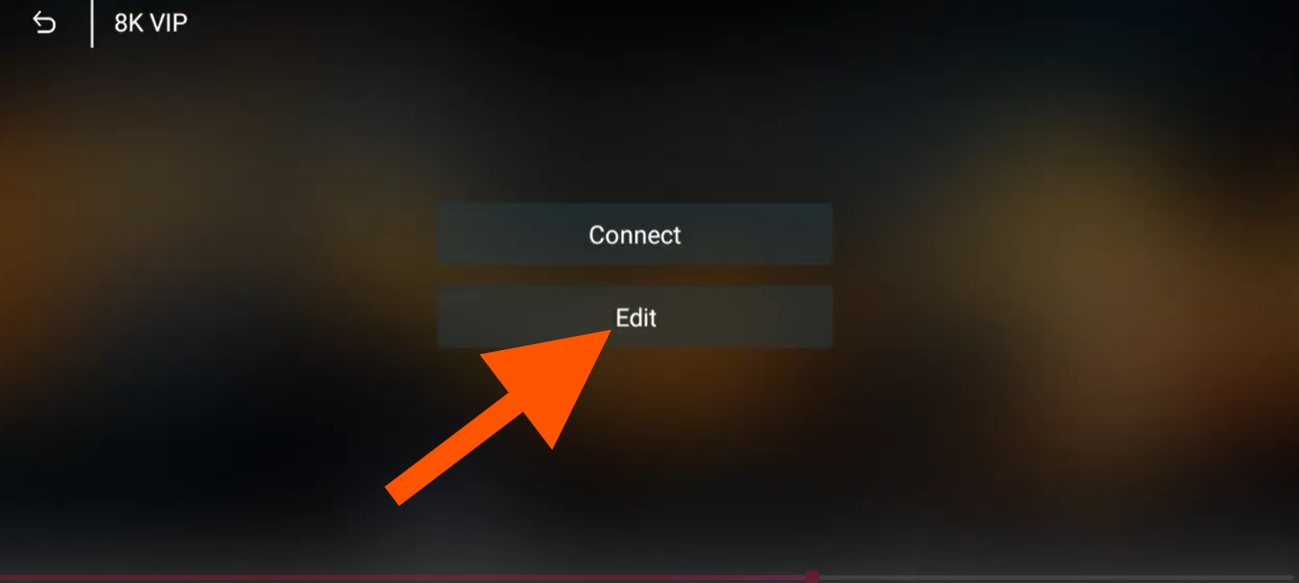
Open Edit Playlist

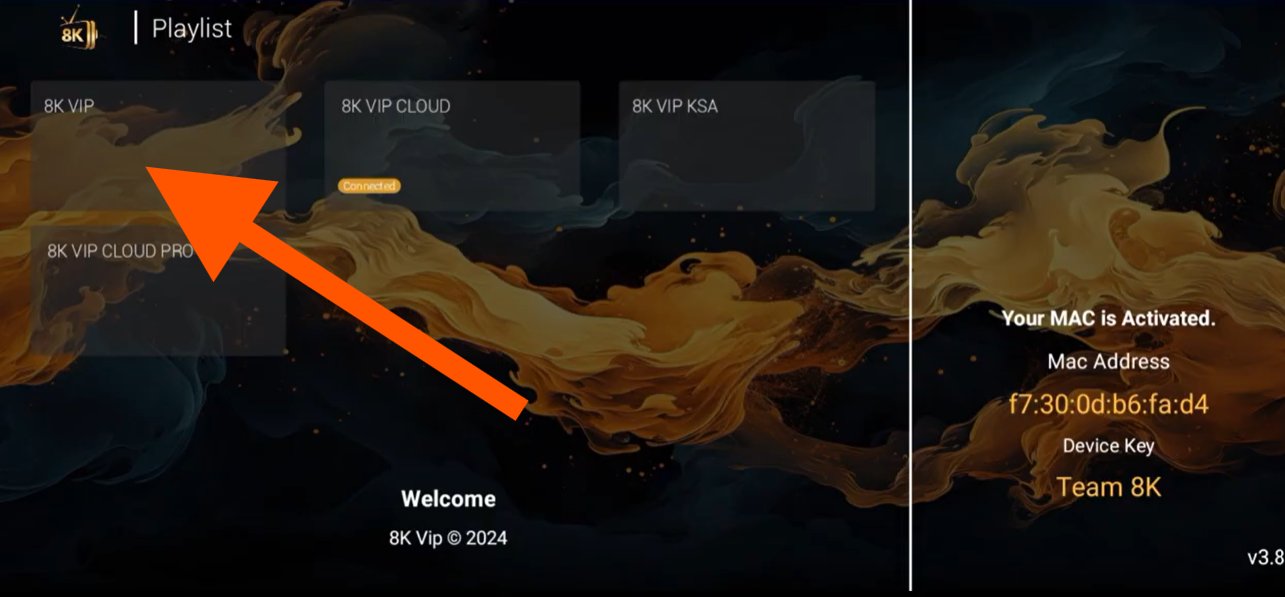
Open your IPTV player and select the playlist you want to configure. Then click Edit to update the playlist information.

07
STEP 07

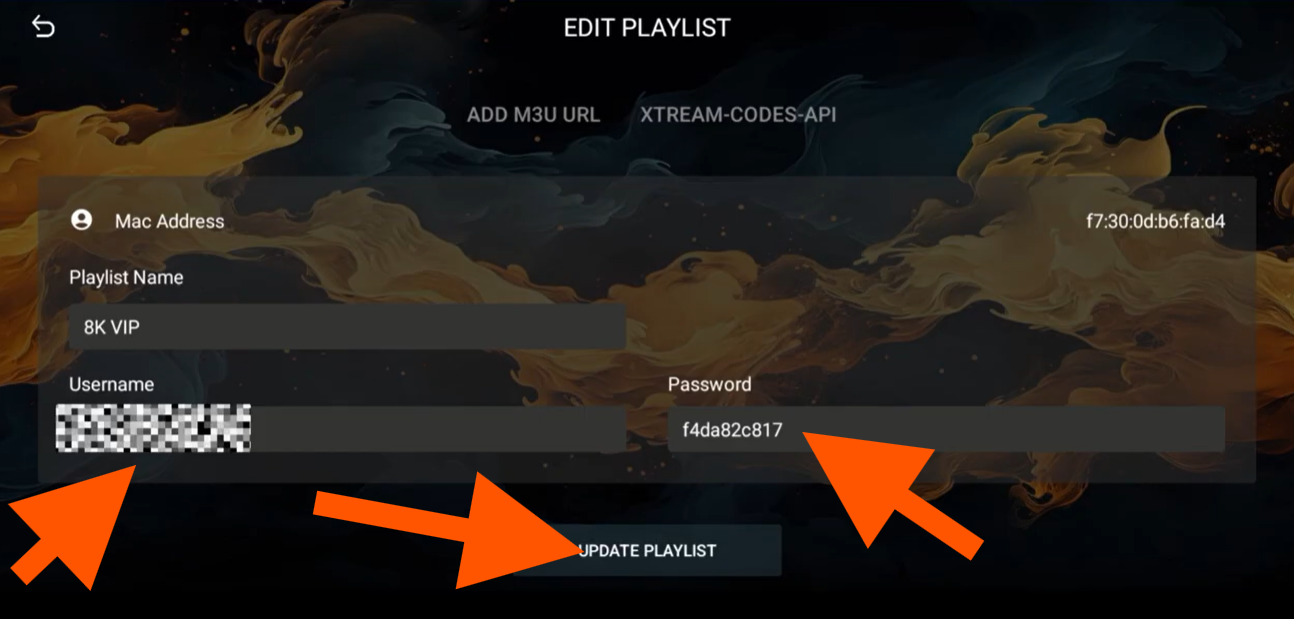
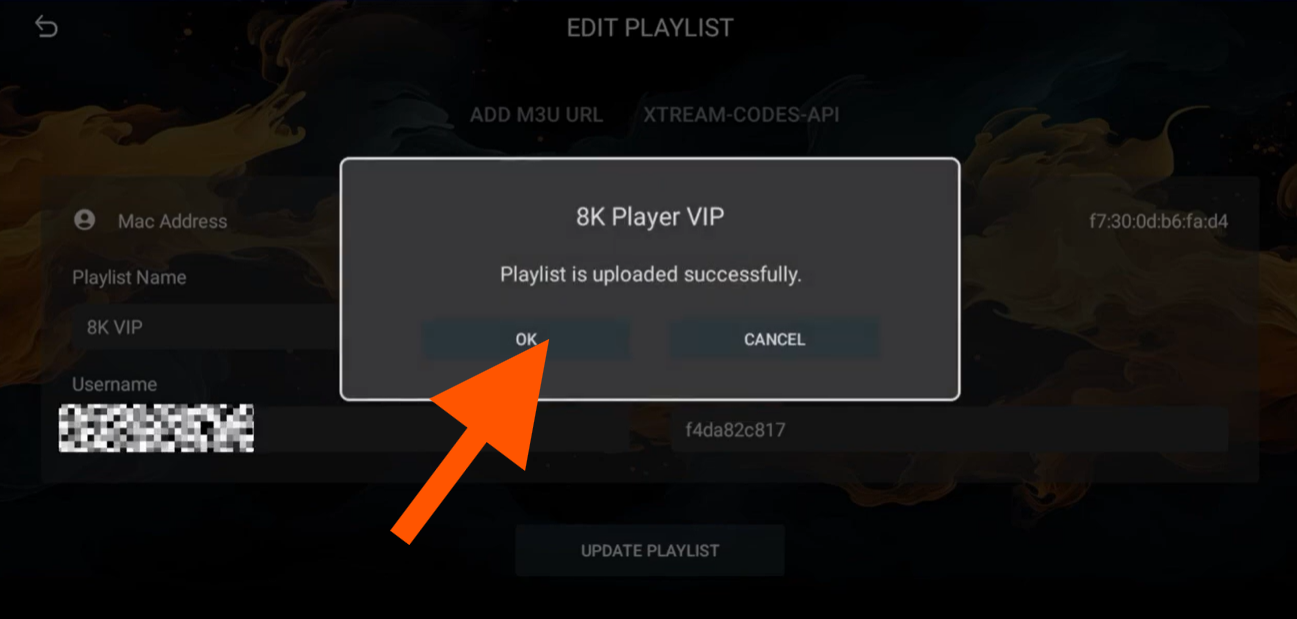
Add Your IPTV Username & Password

Enter the username and password provided with your IPTV access. Save the information and reload the application.

Username + Password Save Reload
08
STEP 08

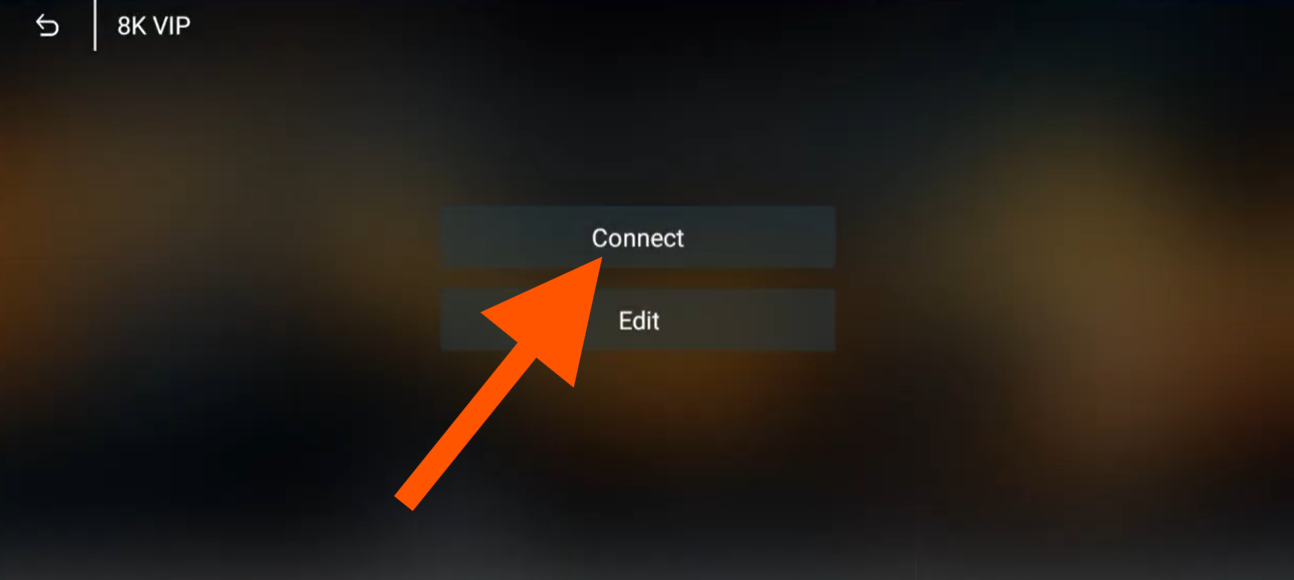
Open Your Playlist & Connect

Select the playlist you have added and click Connect to load your IPTV content.

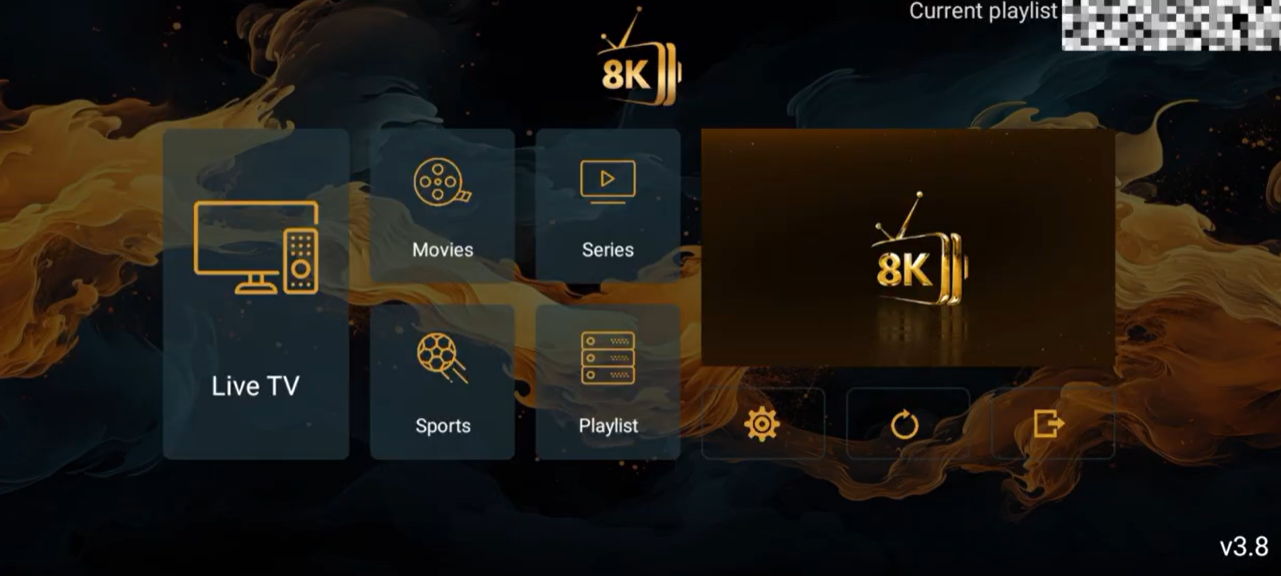
8K IPTV setup completed
Enjoy 8K IPTV
ALL SET

Enjoy 8K IPTV

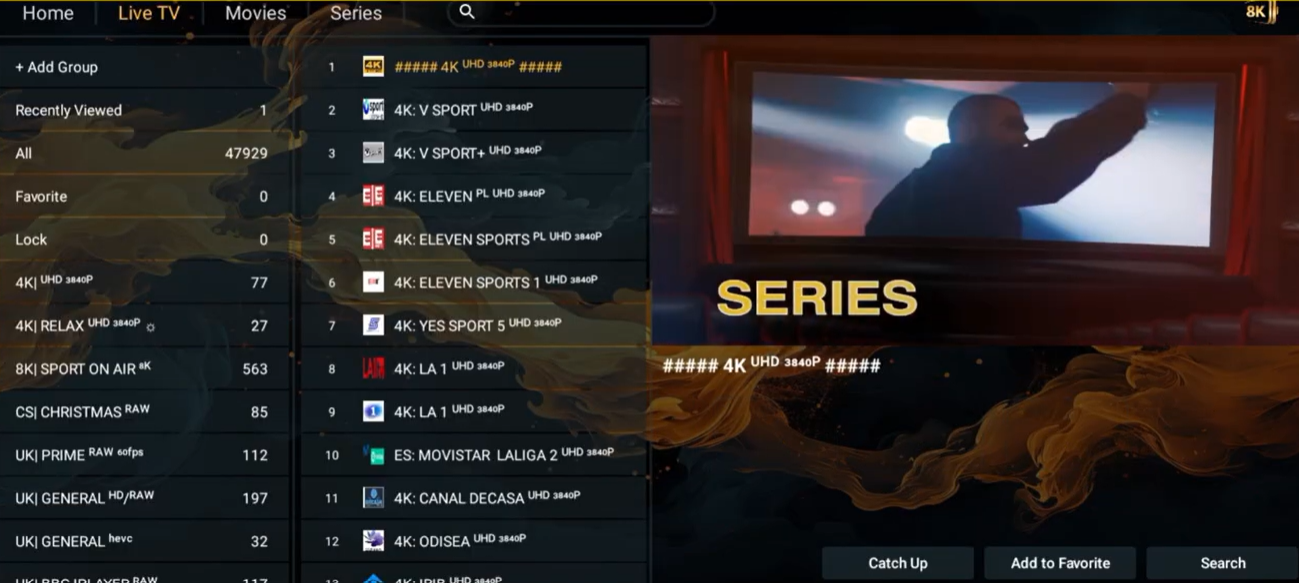
Your IPTV player is now connected. Enjoy your available live TV channels, movies, series and sports.

START WATCHING
WHY 8K IPTV

Why Choose 8K IPTV for Your Streaming Needs?

If you want a high-quality streaming experience, 8K IPTV gives you access to live TV, movies, series, sports and international entertainment across compatible devices. With a simple setup process and flexible access options, you can enjoy your favorite content from the comfort of home.

GET STARTED

How to Set Up Your 8K IPTV Service

Getting started is simple. Once you have installed a compatible IPTV player, follow these basic steps to connect your service and start watching.

01
Connect Your Device

Make sure your device has a stable internet connection.

02
Install an IPTV Player

Choose a compatible player from our 8K IPTV Apps page.

03
Activate Your Service

Add your IPTV access details and start streaming.

SERVICE FEATURES

Key Features of 8K IPTV Subscription Plans

Choose the plan that fits your viewing needs and enjoy access to a wide range of entertainment across supported devices.

High-Quality Streaming

Enjoy clear and smooth playback on compatible devices.

Live TV & Entertainment

Access live channels, movies, series, sports and more.

Flexible Plans

Choose an IPTV subscription according to your needs.

Multiple Devices

Compatible with Smart TV, Fire TV, Android, Windows and macOS devices.

24/7 Support

Get assistance whenever you need help with your setup.

24-Hour Free Trial

Test the service before choosing a subscription plan.

READY TO START?

Get Started with 8K IPTV Today

Ready to start streaming? Try the service with a 24-hour free trial or choose a subscription plan that works for you.

This is a guide on how to install payment apps on Fire TV. Click here fire Tv 

This is a guide on how to install payment apps on Android Devices . Click here Android

This is a guide on how to install payment apps on Smart TV. Click here Smart TV

This is a guide on how to install payment apps on Windows/Macbook. Click here Windows/Macbook

This is a guide on how to install payment apps on Mag Box. Click here Smart TV