
How to Buy 8K IPTV Subscription With Crypto
Looking for an easy way to buy 8K IPTV subscription with crypto? Cryptocurrency may offer a convenient alternative to traditional card payments for people who already use digital currencies. This guide explains how to review your subscription, check the available payment options, complete a crypto transaction carefully, and set up your IPTV credentials after activation.
Before purchasing, review the current subscription plans, supported payment methods, connection limits, and device compatibility. Prices and payment options may change, so use the information displayed on the official website and checkout page when placing your order.
Important payment and legal notice: Use streaming services and content you are legally authorized to access. Cryptocurrency transactions may be difficult or impossible to reverse. Always verify the payment address, cryptocurrency, blockchain network, and amount before confirming a transaction.
Does 8K IPTV Accept Cryptocurrency?
The payment information referenced for 8K IPTV lists cryptocurrency among the available payment methods. The listed options include Bitcoin (BTC), Ethereum (ETH), and USDT.
If you want to buy 8K IPTV subscription with crypto, check the payment methods shown during checkout before sending funds. Supported cryptocurrencies, networks, and payment procedures can change.
Start by visiting the official 8K IPTV website and reviewing the current subscription information. Make sure you are using the correct website before entering account details or making a payment.
Which Cryptocurrencies Can You Use?
The payment information referenced for this guide lists the following cryptocurrency options:
| Cryptocurrency | Symbol | What to Verify |
|---|---|---|
| Bitcoin | BTC | Confirm the requested amount and the Bitcoin network address shown at checkout. |
| Ethereum | ETH | Verify the requested currency and the payment instructions before sending. |
| Tether | USDT | Check the exact blockchain network. USDT is available on multiple networks. |
If you are new to cryptocurrency, learn about the payment asset before using it. Helpful starting points include Bitcoin.org, Ethereum.org, and Tether.
This list reflects the payment information referenced in the article. The current checkout page is the final place to verify which methods are actually available for your order.
How to Buy 8K IPTV Subscription With Crypto Step by Step
The general process is to choose a subscription, review the order details, select a supported payment method, and follow the instructions displayed by the official checkout system. The steps below can help you avoid common payment mistakes.
Step 1: Choose Your 8K IPTV Plan
Visit the official website and review the available subscription options. Pay attention to the plan duration, price, and number of simultaneous connections included.
If you are a new customer, consider checking compatibility with your device and IPTV player before committing to a longer subscription.
Step 2: Check Device Compatibility
Before you buy 8K IPTV subscription with crypto, make sure your device supports an IPTV application compatible with the credentials supplied by your service.
Depending on the application and device, IPTV players may be available for Fire TV, Android TV, compatible Smart TVs, smartphones, tablets, and computers. Compatibility varies by device and app.
For help choosing an application, see the IPTV player guide.
Step 3: Check the Subscription Duration
Choose a duration that fits your needs and review the current price before continuing. Do not rely on old screenshots or prices published elsewhere, because offers can change.
If you prefer to check compatibility before buying a longer plan, see whether a trial is available. The website advertises a 24-hour IPTV free trial; check the page for current availability and conditions.
Step 4: Check the Number of Connections
Some IPTV subscriptions restrict the number of devices that can stream at the same time. Check the simultaneous connection limit listed for the exact plan you intend to purchase.
Do not assume that a single subscription automatically includes unlimited simultaneous connections. Follow the terms shown for your chosen plan.
Step 5: Review the Checkout Details
After choosing a plan, continue to the official checkout and carefully review the order before paying.
- Subscription duration
- Number of connections
- Total price and currency
- Email address
- Selected payment method
Make sure your email address is accurate because order notifications or subscription information may be sent there.
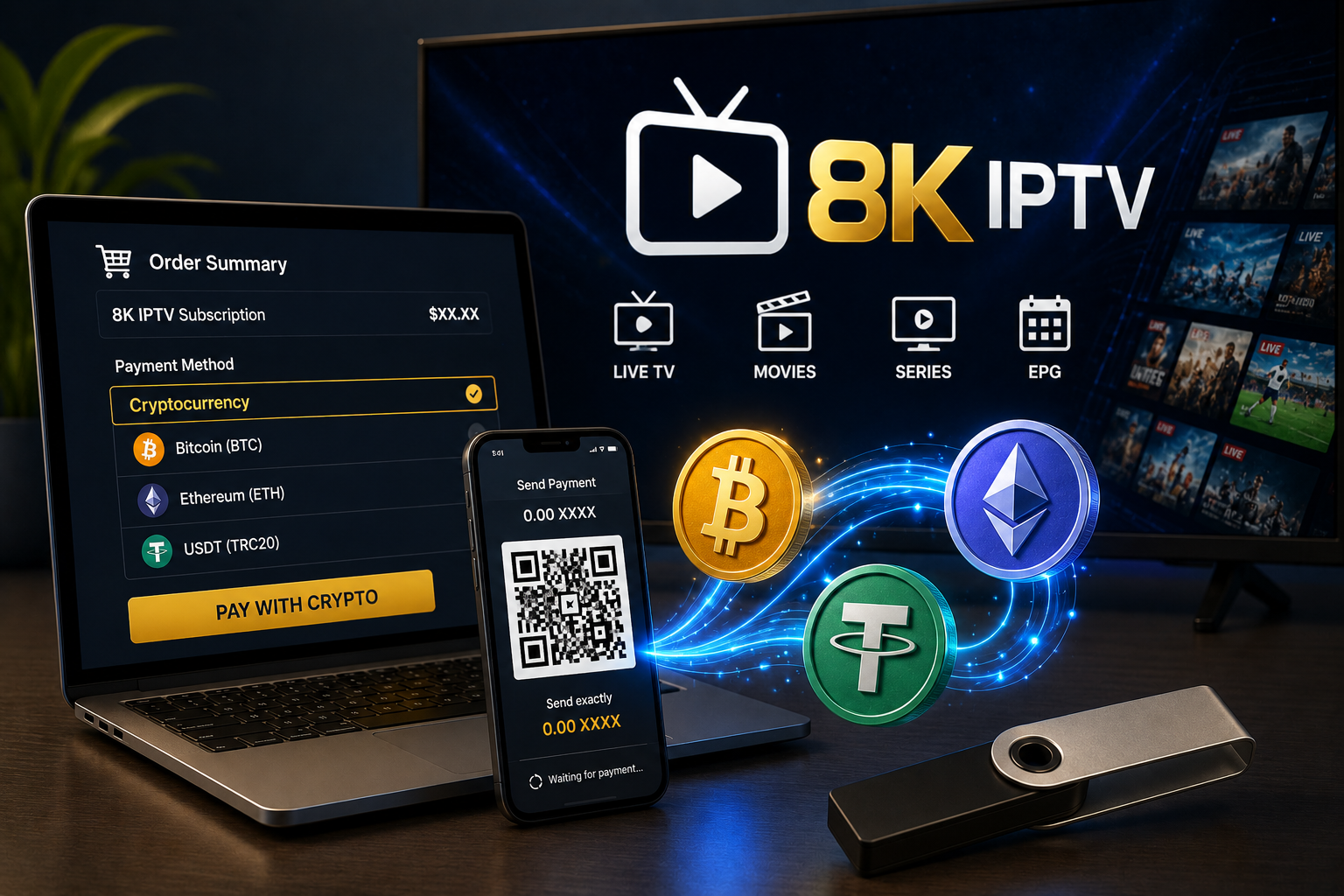
Step 6: Select Cryptocurrency
If a cryptocurrency option is available at checkout, select it and read the instructions provided by the payment system.
The payment information referenced in this guide lists BTC, ETH, and USDT. The options shown for your particular order may differ.
Do not send funds until you have confirmed the exact cryptocurrency requested by the checkout page.
Step 7: Verify the Blockchain Network
This step is especially important when paying with a cryptocurrency such as USDT, which can operate across multiple blockchain networks.
If the payment instructions specify a network, use exactly that network. Do not guess or select a network simply because it has lower fees.
Using an unsupported network can prevent a payment from being recognized and may make recovery difficult or impossible.
Step 8: Verify the Wallet Address
Compare the wallet address displayed by the official checkout with the destination address in your wallet before confirming the transaction.
Check the address carefully. When a QR code is provided, scanning it can reduce manual typing mistakes, but you should still verify the address and payment details shown in your wallet.
Never rely on a payment address sent by an unofficial social media account, an unexpected message, or an unrelated third party.
Step 9: Send the Correct Amount
Enter the amount requested by the payment page and account for any network fee your wallet displays.
Make sure the amount and currency match the checkout instructions. If the payment page displays an expiration timer, follow the stated payment window.
Step 10: Wait for Payment Confirmation
After sending the transaction, wait for the network and payment system to process it. Some payments require blockchain confirmations before the merchant can recognize them.
Do not send a second payment just because your subscription details have not arrived immediately. First check the transaction status and your order confirmation.
What Happens After You Pay?
After a successful payment and subscription activation, the 8K IPTV subscription information states that customers may receive login details such as M3U or Xtream Codes.
These details can be entered into a compatible IPTV player. The exact process depends on the app you use and the connection method supplied with your subscription.
Keep your order confirmation and transaction information until your subscription is activated and you have verified that your credentials work.
How to Use Your 8K IPTV Credentials
Once your subscription details arrive, open a compatible IPTV player and choose the connection method that matches the information supplied to you.
M3U Playlist
If you receive an M3U playlist URL, open your IPTV player and look for an option such as Add Playlist, M3U URL, or Playlist URL.
- Open the IPTV player.
- Choose the option to add a playlist.
- Select the M3U URL method if available.
- Enter the complete URL exactly as provided.
- Save the playlist and wait for it to load.
Xtream Codes API
If you receive Xtream Codes credentials, your application may ask for the following information:
- Server URL: the server address provided with your subscription.
- Username: your assigned account username.
- Password: your assigned account password.
Enter each field exactly as provided. Check for spelling mistakes, missing characters, and accidental spaces before saving the account.
M3U vs Xtream Codes: What Is the Difference?
M3U and Xtream Codes are two common methods used to connect a compatible IPTV player to a service.
- M3U: typically uses a playlist URL containing the playlist information.
- Xtream Codes: typically uses a server address, username, and password.
The appropriate option depends on the credentials your provider supplies and the connection methods supported by your IPTV application. For help choosing a player, visit our IPTV player guide.
How to Set Up Your Subscription on Firestick
If you plan to use your subscription on an Amazon Fire TV device, you will need a compatible IPTV player and the credentials supplied with your activated subscription.
- Set up your Firestick and connect it to the internet.
- Install a compatible IPTV player from an appropriate source.
- Open the IPTV application.
- Select M3U or Xtream Codes, depending on your credentials.
- Enter the supplied subscription details.
- Save the account and wait for the playlist to load.
- Test playback and confirm that the app is working as expected.
If playback buffers after setup, the cause may be your Wi-Fi connection, device performance, app settings, or the streaming source. Test your connection and compare playback on another channel before deciding what to change.
For additional help, browse our IPTV player guide.
How to Set Up Your Subscription on a Smart TV
Before purchasing for a Smart TV, check whether the television supports an IPTV application compatible with your subscription credentials.
Samsung and LG televisions use their own app ecosystems, while many Android TV devices support apps through Google Play. Available applications vary by television model, region, and software version.
- Check the apps available for your TV model.
- Install a compatible IPTV player.
- Open the player and choose the supported login method.
- Enter your M3U URL or Xtream Codes details.
- Save the account and test playback.
If your preferred app is not available on your TV, check the app developer's compatibility information before purchasing a subscription specifically for that device.
Why Choose Cryptocurrency for IPTV Payments?
Cryptocurrency may be convenient for customers who already use digital assets and prefer an alternative to entering a traditional bank card number. Where supported, a payment can be sent from a compatible crypto wallet by following the checkout instructions.
Potential advantages include:
- An alternative to traditional card payments.
- Transactions processed through a blockchain network.
- Convenient international transfers where supported.
- The ability to pay from a compatible cryptocurrency wallet.
Understand the Risks Before Paying
Cryptocurrency payments also have important limitations. Transactions may be irreversible, network fees can vary, and a mistake involving the destination address or blockchain network can result in lost funds.
Cryptocurrency does not automatically guarantee privacy, a refund, or faster order activation. Review the checkout instructions and the seller's current terms before paying.
Crypto Payment Safety Checklist
Before you buy 8K IPTV subscription with crypto, use this checklist to review your order and reduce the risk of a payment error.
- Confirm that you are using the official website.
- Review the exact subscription plan and duration.
- Check the number of simultaneous connections.
- Confirm the total price and payment amount.
- Verify the requested cryptocurrency.
- Verify the required blockchain network.
- Carefully compare the destination wallet address.
- Check any network fee shown by your wallet.
- Save your transaction ID or transaction hash.
- Keep your order confirmation until activation.
- Never share your wallet's private keys or recovery phrase.
What If Your Crypto Payment Is Pending?
If your wallet indicates that a transaction has been sent but your order remains pending, do not immediately make another payment.
- Find the transaction ID or transaction hash in your wallet.
- Check the transaction status using an appropriate blockchain explorer.
- Review whether the transaction has been confirmed by the network.
- Check your order confirmation and the payment instructions.
- If the transaction is confirmed but the order remains inactive, contact official support with your order information and transaction ID.
For a general explanation of blockchain transactions, see this blockchain guide.
What If You Used the Wrong Network?
If you accidentally send cryptocurrency using a network that does not match the checkout instructions, do not send another payment immediately.
Contact the official merchant support team and provide the transaction details. Recovery depends on the cryptocurrency, network, wallet, and payment system involved; recovery is not always possible.
Can You Get a Refund After Paying With Crypto?
Refund procedures for cryptocurrency payments may differ from those for traditional card payments. A blockchain transaction itself is generally not reversed simply by requesting a refund from the wallet.
The applicable refund policy depends on the seller's current terms and the circumstances of the order. Read the 8K IPTV Terms and Conditions before purchasing, and keep your transaction information if you need to contact support.
Is There an 8K IPTV Free Trial?
If you are unsure whether your device or IPTV player is compatible, checking for a trial before purchasing a longer subscription may be useful.
The official website advertises a 24-hour free trial. Availability and conditions may change, so visit the official 8K IPTV free trial page for the current information.
Common Problems After Buying IPTV
Payment Completed but Credentials Have Not Arrived
Check your email inbox and spam folder. Then review your order status and transaction confirmation. If the payment is confirmed but your subscription information is still missing, contact official support with the relevant order details.
Credentials Do Not Work
Confirm that the server URL, username, and password are entered exactly as provided. Check for extra spaces, missing characters, and spelling errors. Also make sure you selected the correct login method in your IPTV player.
The Playlist Loads but Channels Buffer
Buffering can be related to Wi-Fi signal quality, network congestion, device performance, app problems, or the streaming source.
Try another channel, restart the app, and test the connection. If possible, compare playback on another network to help narrow down the cause.
The Electronic Programme Guide Is Missing
Electronic Programme Guide (EPG) availability depends on the playlist, account configuration, and IPTV player. Try refreshing the playlist and checking the EPG settings in your application.
The Payment Is Confirmed but the Order Is Still Pending
Keep your transaction hash and order confirmation. Check the transaction status first, then contact official support if the order does not update. Avoid paying a second time unless the official checkout or support team confirms that another payment is required.
Final Thoughts
If you want to buy 8K IPTV subscription with crypto, carefully follow the official payment instructions. Start by reviewing the subscription options, checking device compatibility, and confirming the payment methods currently available to you.
The payment information referenced in this guide lists Bitcoin, Ethereum, and USDT. Before sending funds, verify the exact cryptocurrency, blockchain network, wallet address, and payment amount displayed at checkout.
After your payment is confirmed and your subscription is activated, you can enter the supplied M3U or Xtream Codes credentials into a compatible IPTV player.
If you are new to IPTV, checking device compatibility and reviewing the available free trial may help you identify setup issues before selecting a longer subscription.
Most importantly, use services and content you are legally authorized to access, protect your wallet information, and remember that cryptocurrency transactions may not be reversible.
Ready to Get Started With 8K IPTV?
Review the current subscription options, check whether the free trial is available, and read the payment terms before completing your purchase.
Frequently Asked Questions
Can I buy an 8K IPTV subscription with Bitcoin?
Bitcoin is listed among the cryptocurrency payment options referenced in this guide. Check the official checkout page to confirm whether BTC is currently available for your order.
Can I buy an 8K IPTV subscription with USDT?
USDT is listed as a cryptocurrency payment option in the referenced payment information. Before sending funds, verify the exact blockchain network specified by checkout.
Can I buy an 8K IPTV subscription with Ethereum?
Ethereum is also listed among the cryptocurrency options referenced in this guide. Confirm the payment instructions and requested amount before completing a transaction.
What credentials do I receive after purchasing?
The subscription information states that customers may receive M3U or Xtream Codes login details after activation. The exact format depends on the subscription and instructions supplied.
Can I use my subscription on Firestick?
The subscription information referenced in this article lists Firestick and Fire TV among the supported platforms. You will need a compatible IPTV player to enter your subscription credentials.
Is there a free trial?
The official website advertises a 24-hour free trial. Visit the official free trial page to check current availability and conditions.
What should I do if my crypto payment is pending?
Check the transaction status using your transaction ID or hash. If the payment is confirmed but the order is still pending, contact official support. Do not send a second payment unless you receive verified instructions to do so.
Can a cryptocurrency payment be reversed?
Blockchain transactions are generally not reversible once confirmed. If you make a payment error, contact the relevant official support team, but be aware that recovery may not be possible.
Where can I check the refund policy?
Read the latest 8K IPTV Terms and Conditions before purchasing. The applicable policy depends on the current terms and the circumstances of your order.